Engraving artwork that stays inside your outline
Scrollworks generates scroll and filigree engraving that fits the panels of a gun-outline SVG exactly, then exports a file per panel with its own cut path — so what you see is what the laser cuts. Upload an outline, name a theme, download files ready for the machine.
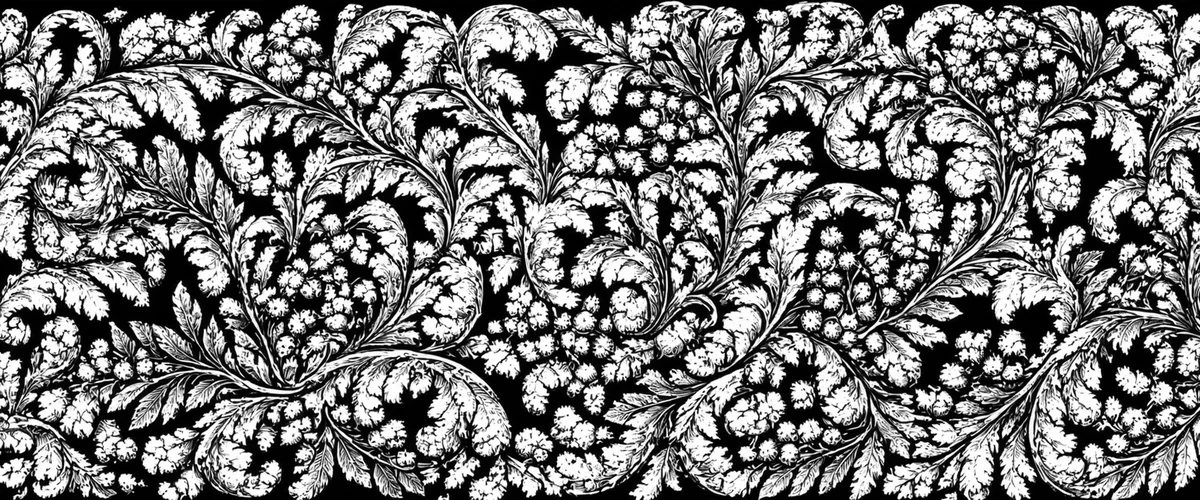
Artwork generated by Scrollworks
Every piece below came out of the tool itself. The themed panels were produced by typing a theme the model had never been trained on — the style is learned, the subject is yours.

Steampunk, from a typed theme
Gears and gauges seated in scrollwork. The theme was typed in plain words; nothing like it was in the training set.

Firefighter tribute
A Maltese cross and crossed axes worked into the leafwork rather than pasted on top of it.

Koi and waves, after threshold
Shown after the hard black-and-white threshold, which is the file the laser actually receives.

A whole pistol, laid out flat
Every panel of a Glock 19 filled in one pass, each one masked to its own outline.

Narrow panels, centred
Tall grip panels and small rail panels, with the pattern centred on each piece instead of drifting to one edge.
How it works
Four steps from an outline to files on the machine.
Upload your outline
Any SVG whose closed shapes mark the panels you intend to engrave. Calibrate it once against a known measurement and the size is remembered.
Choose a style and a theme
Pick an engraving style, then type a theme in plain words. Leave the theme empty for pure ornament.
Generate
Art is generated as a texture and then masked hard to your outline, so it cannot spill past the panel edges.
Download and cut
One ZIP holding a PNG per panel, an SVG with every cut path registered to the artwork, and a list of each panel's real size in millimetres.
What you get from one generation
- Per-panel PNGsEach panel cropped to its own outline, with an optional outward cut offset.
- A combined SVGThe artwork as an embedded raster plus every panel's cut outline as real vector paths, registered together.
- Panel sizes in millimetresA CSV listing every panel with its real width and height, from your one-time calibration.
- A 3D previewDrop the finished panels onto a model of the part and turn it before anything is burned.
Pricing
One token is one generation, whatever it produces. Every download that follows is free, for as long as you keep the account — your artwork stays in your account and is not shared with anyone.
- 3 free generationsIncluded with a new account, so you can see the output before paying.
- $2.00 per tokenBought in packs. A token is spent only when a generation succeeds.
- Failed runs cost nothingIf a generation fails, the token goes straight back to your balance.
Questions
What is Scrollworks?
Scrollworks is a web tool that generates scroll and filigree engraving artwork for firearms and other engraved metal parts. You upload an SVG outline of the part, and it fills each panel of that outline with matching artwork and exports files ready for a laser engraver.
How does Scrollworks keep the artwork inside the panel edges?
Scrollworks generates the artwork as a texture and then masks it to the panel shapes taken from your uploaded SVG outline. The mask is applied after generation rather than being suggested to the model, so artwork cannot spill past a panel edge or wander off the part.
What files does Scrollworks export?
Each generation produces a PNG of the whole part, one PNG per panel cropped to that panel's own shape, an SVG containing the artwork with every panel's cut outline as vector paths registered to it, and a CSV listing each panel with its width and height in millimetres. They arrive as a single ZIP.
Can I use my own theme, or only preset patterns?
You type a theme in plain words and it is worked into the engraving style. The style is learned from a trained model; the subject is whatever you ask for. The gallery on this page includes themes such as steampunk gears and koi that were never part of the training data.
What outline file does Scrollworks need?
An SVG whose closed shapes mark the areas you intend to engrave. Each closed shape becomes one panel. You calibrate the outline once against a known real-world measurement, and every export afterwards is sized in millimetres.
How much does Scrollworks cost?
Scrollworks is priced per generation using tokens. One token is one generation and costs $2.00 USD, bought in packs. A new account includes 3 free generations. Downloading files you have already generated is free and unlimited.
What happens if a generation fails?
The token is returned to your balance automatically. Tokens are spent only on generations that produce artwork.
Who can see the artwork I generate?
Only you. Each account has its own isolated storage, and artwork is served only to the account that generated it. Nothing you make appears in the public gallery on this page.
Do I need a laser engraver to use Scrollworks?
No. Scrollworks produces the artwork files. You can generate and download them and have the work cut elsewhere, or use the exported PNG and SVG in any engraving or design software.